OAuth2 Credentials
OAuth2 credentials are the client_id / client_secret pairs your brand uses to authenticate to the Betting API: you exchange a credential for a short-lived access token and call the API with it (see Authorization).
You create and revoke these credentials yourself in the Betting Backoffice, without involving developers or integration managers.
Where to find it
Open Features Control (the WhiteLabel settings page) in the sidebar. The OAuth2 Credentials section lists every credential issued for your brand.
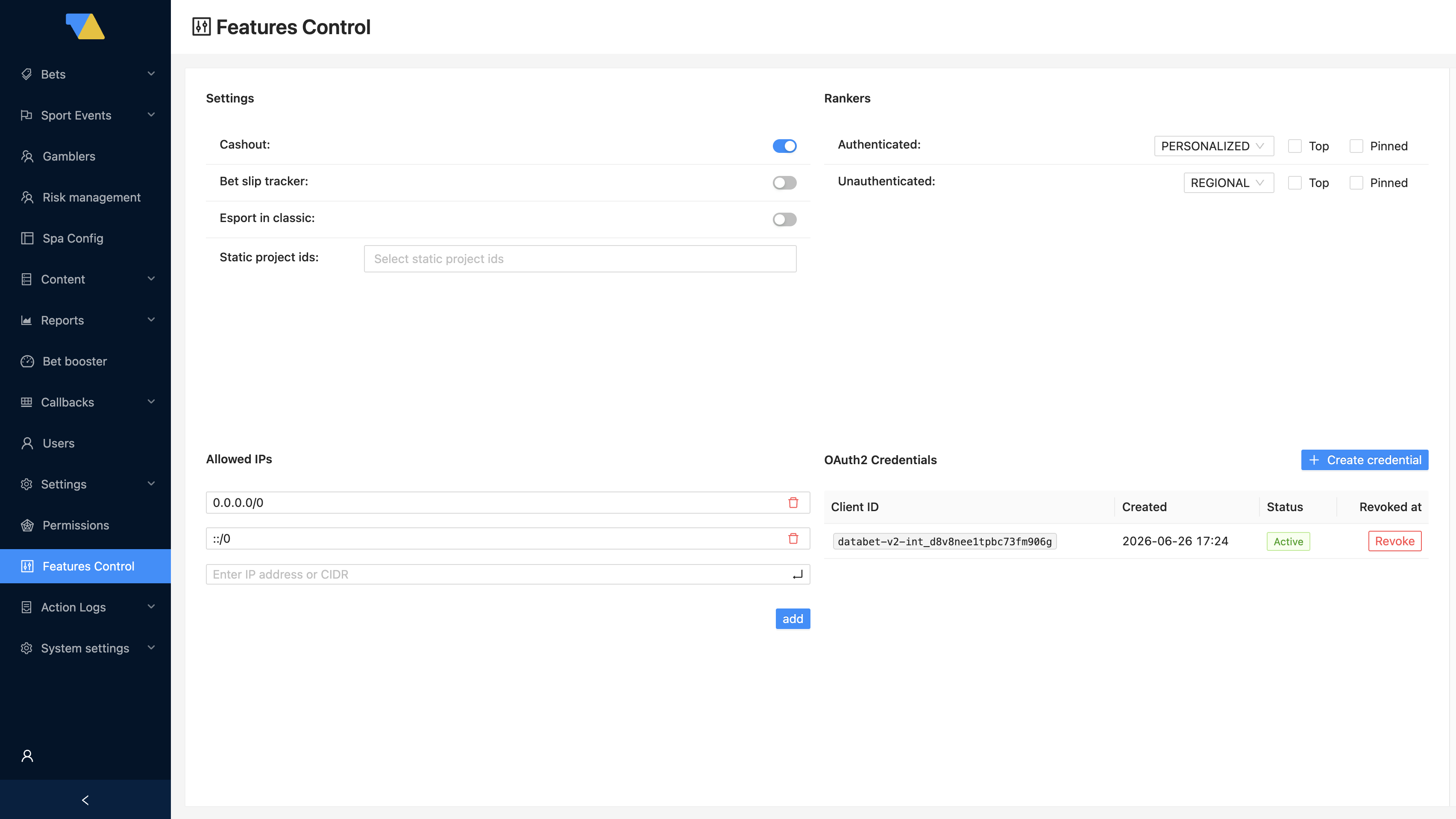
Each row shows:
- Client ID — the public identifier of the credential.
- Created — when the credential was issued.
- Status — Active or Revoked.
- Revoked at — the revocation time, once revoked.
Creating a credential
Click Create credential. A dialog shows the new Client ID and Secret.
Copy the secret now — it is shown only once
The client_secret is displayed only in this dialog and is never stored in the backoffice or shown again. Copy it immediately and keep it somewhere safe. If you lose it, you cannot recover it — create a new credential and revoke the old one.
Hand the client_id and client_secret to whoever configures the integration. From there they follow the Authorization flow to obtain access tokens.
Revoking a credential
Click Revoke on a row and confirm. A revoked credential can no longer issue new tokens, and any token already issued from it stops being accepted.
Revocation takes effect within the cache window
The betting public service caches credential state, so a revocation propagates within roughly 1 minute. A token from a just-revoked credential may still work for up to that long.
Rotating credentials
Multiple active credentials are allowed, which makes zero-downtime rotation simple:
- Create a new credential.
- Update the integration to use the new
client_id/client_secret. - Once traffic is fully on the new credential, Revoke the old one.
Because both work during the overlap, there is no window where the integration is locked out.
Permissions
Creating and revoking credentials are permission-gated. If you don't see the Create credential button or the Revoke action, your backoffice user lacks the corresponding permission — ask an administrator to grant it.