Banners
General information
The Banner API MUST be implemented on the integration side to provide promotional banner information based on locale and ID. Banners contain promotional information including title, subtitle, image, and call-to-action button. This API is primarily used for displaying promotional content in web and mobile applications.
The banner can be placed in a designated banner zone. Zone names follow the pattern {pageType}-{location}-{platform}-{index}. The betting SPA currently supports:
| Axis | Supported values |
|---|---|
pageType | mix, esport, classic |
location | top_slider, right |
platform | desktop, mobile, ios, android |
index | 0 |
Example zone names: mix-top_slider-desktop-0, esport-right-mobile-0, classic-top_slider-ios-0.
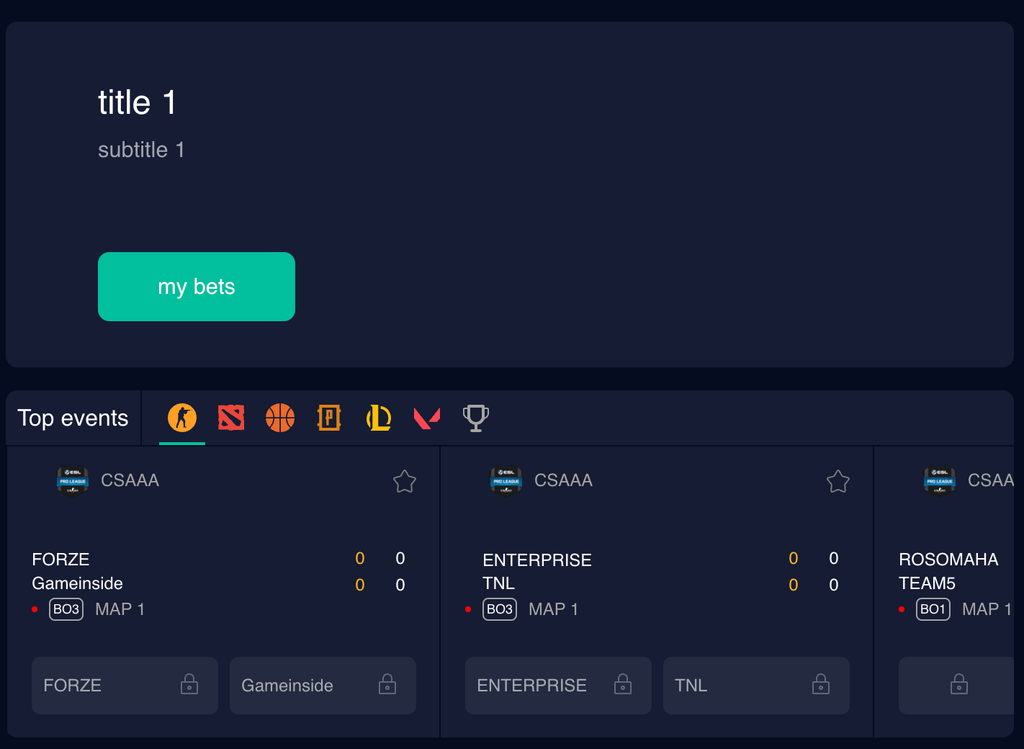
Example of esport-top_slider-desktop-0 in the UI:
Integration
To integrate your banners into your betting SPA, follow these steps:
-
Configure your server to implement the API to provide the banner information.
-
Allow (add to allowlist) DATA.BET IPs to successfully reach your server:
- 34.141.137.147
- 35.204.163.86
- 34.32.176.27
- 35.204.140.21
- 35.204.90.43
- 35.204.200.79
- 35.204.215.216
- 34.32.176.27
- 35.204.140.21
Add a new banner
-
Choose the banner zone where you would like your banner to appear. Zone names use the pattern
{pageType}-{location}-{platform}-{index}with the supported axis values listed in General information. -
Create a banner for the required
locale.To test the banner implementation, you can execute the following cURL command:
Replace the
{banners-api-server}with your banner API server URL,{locale}with yourlocale(for which the banner has been added),{banner-id}with yourbannerID(it's your internal identifier), and run the following command to test banner's response:1 2 3
curl -X GET \ 'https://{banners-api-server}/api/banners/locale/{locale}?ids={banner-id}' \ -H 'accept: application/json' -
Provide the banner zone (from step 1) and
bannerID(from step 2) to the DATA.BET Account Manager.